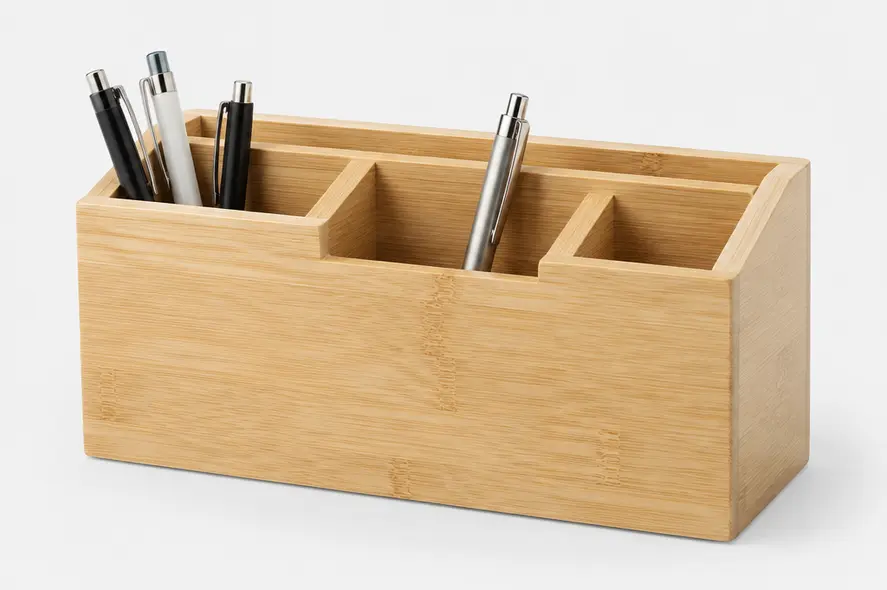


Dashboard and products
Move between your store overview, imported products and listings. Review product details before publishing to your connected eBay store.
For UK eBay sellers
GetSellerOS is one workspace for eBay sellers who source from suppliers. Research seasonal ideas and suppliers, work out your costs and estimated profit, then import the product and prepare the listing for your review. Nothing is published until you approve it.
Free trial, every plan
7 days free, with up to 7 different products published to eBay in total.
A payment card is required. Your plan begins when the trial ends unless you cancel first.
Watch the introduction · 1 min 7 sec
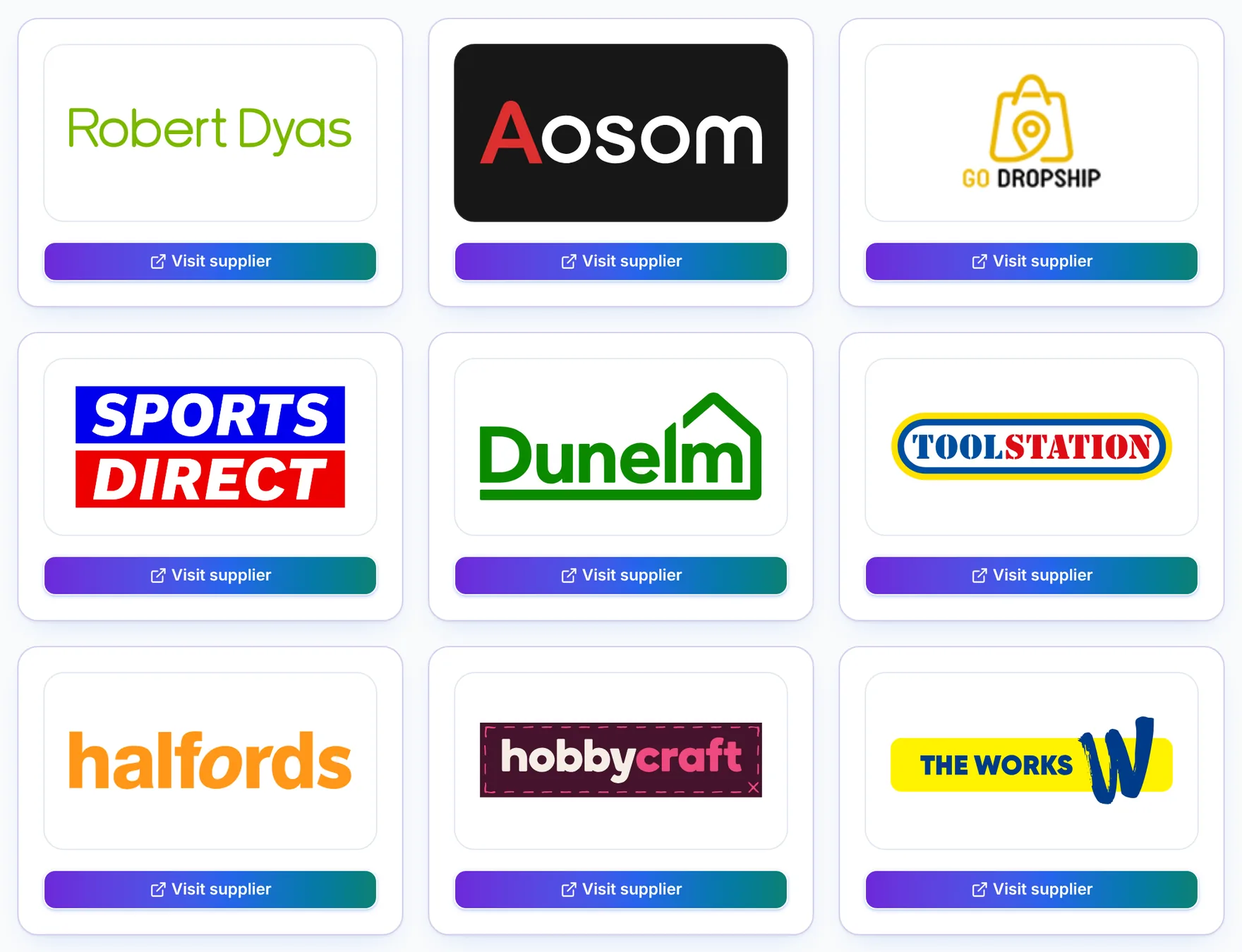
Import from supported suppliers, for example:









Logos belong to their owners and are shown only to identify the shops and services. GetSellerOS is not affiliated with, sponsored by or endorsed by eBay, Google or any supplier shown. Which supplier pages the importer can read, and how well, differs from shop to shop and can change when a supplier changes its website. The supplier directory in the app shows what works for each.
How it works
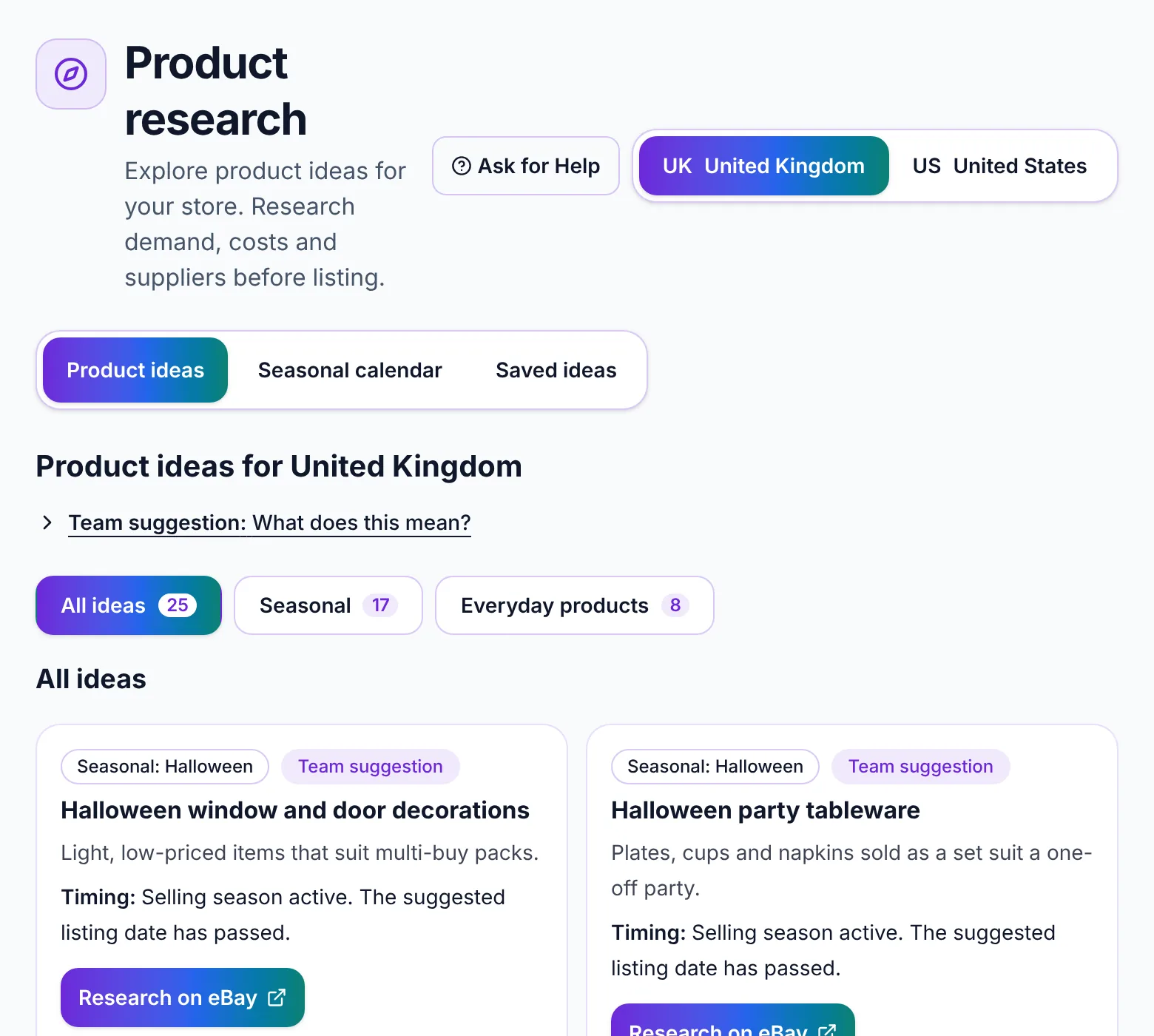
Browse seasonal product ideas for the UK or US and check the supplier directory before you spend time on a product.
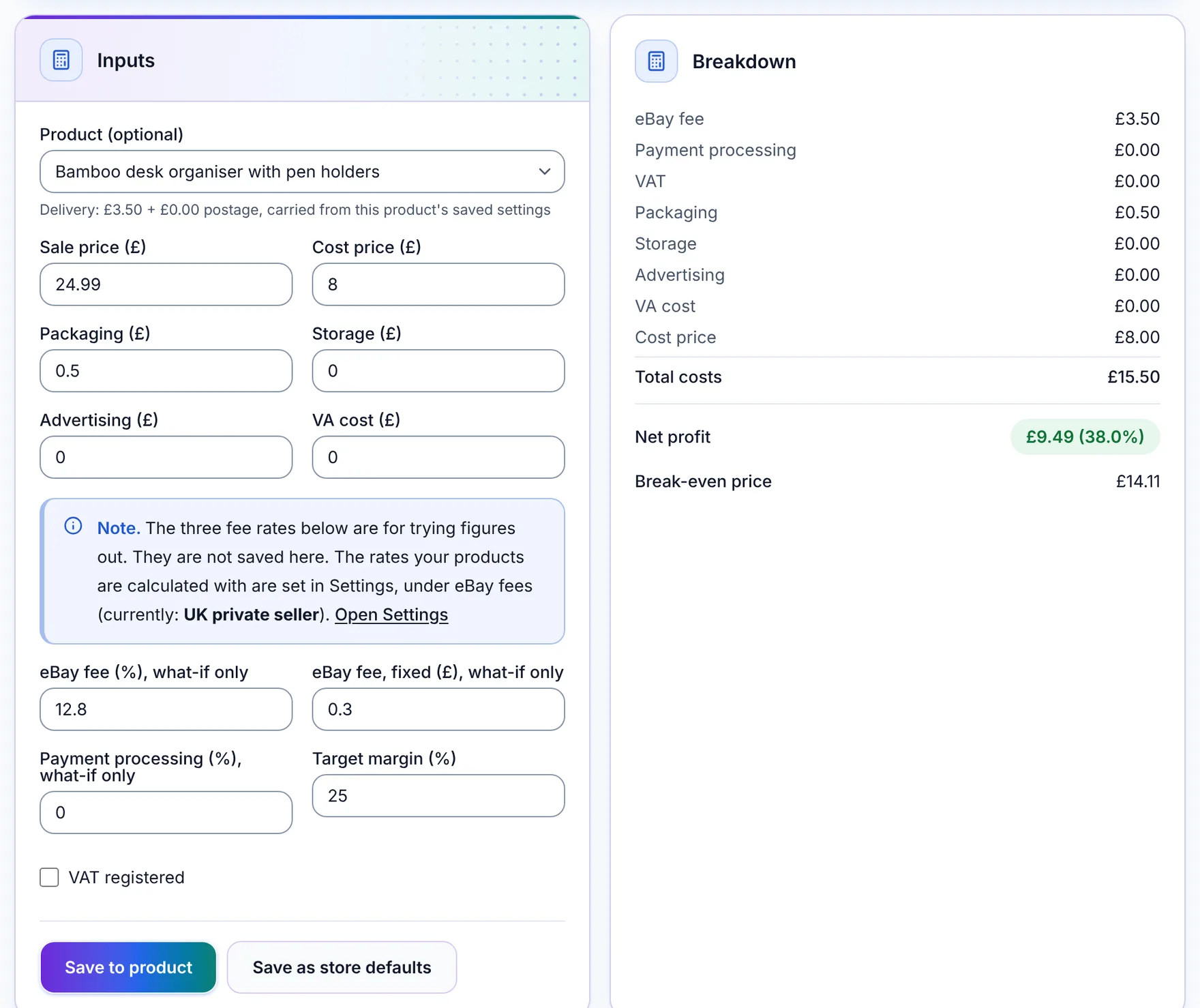
See fees, postage and your cost against a sale price. The break-even price is shown, and a price that sells at a loss is blocked.
Click the Chrome extension on a supplier's product page, check what it read, then edit the title, description and item specifics, or use Optimise.
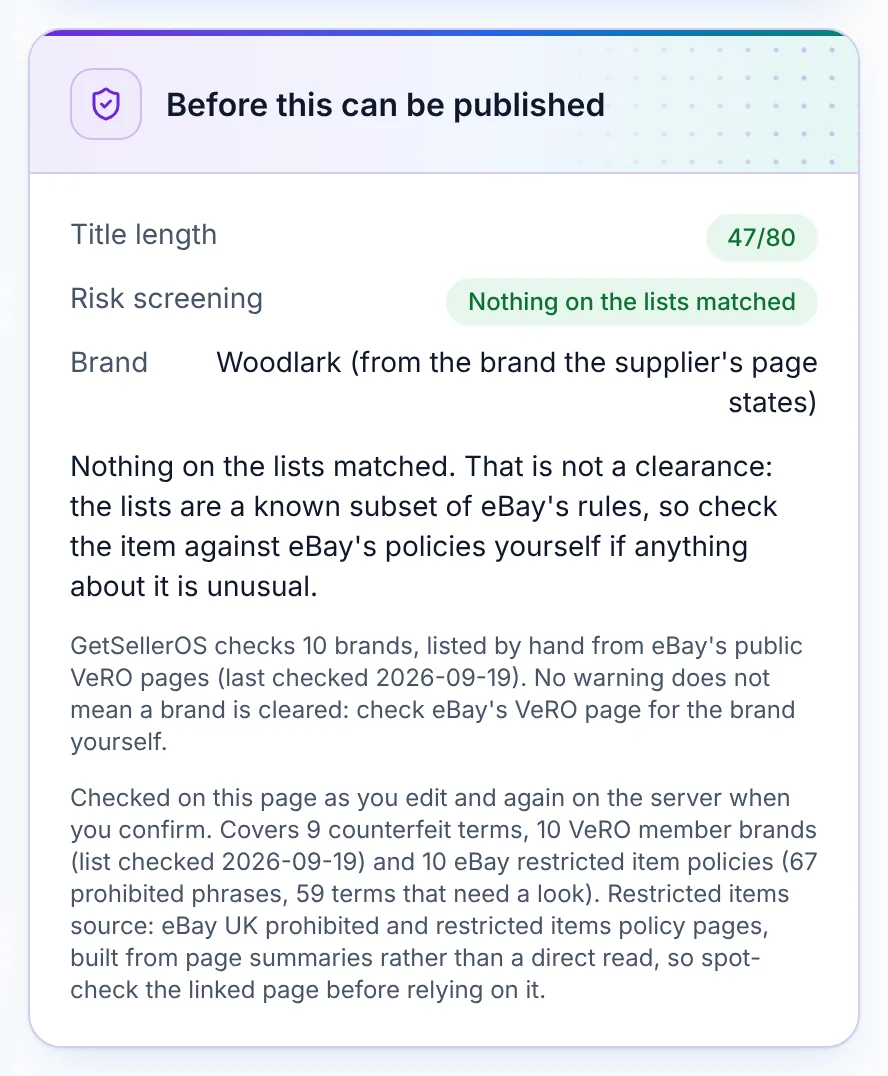
Connect your eBay store once. The checks before publishing are shown, and nothing goes to eBay until you approve it.
GetSellerOS screens with sample data.
Answer six quick questions about listings, costs, stock checks and orders. Receive three practical priorities based on your answers, then download our free profit checklist.
No eBay account connection or email address required. The results are educational, not a scan of your store.
Take the free Seller Health Check
Product Research
A calendar of UK and US events with estimated start-preparing and listing dates, and product ideas to research on eBay for each season.
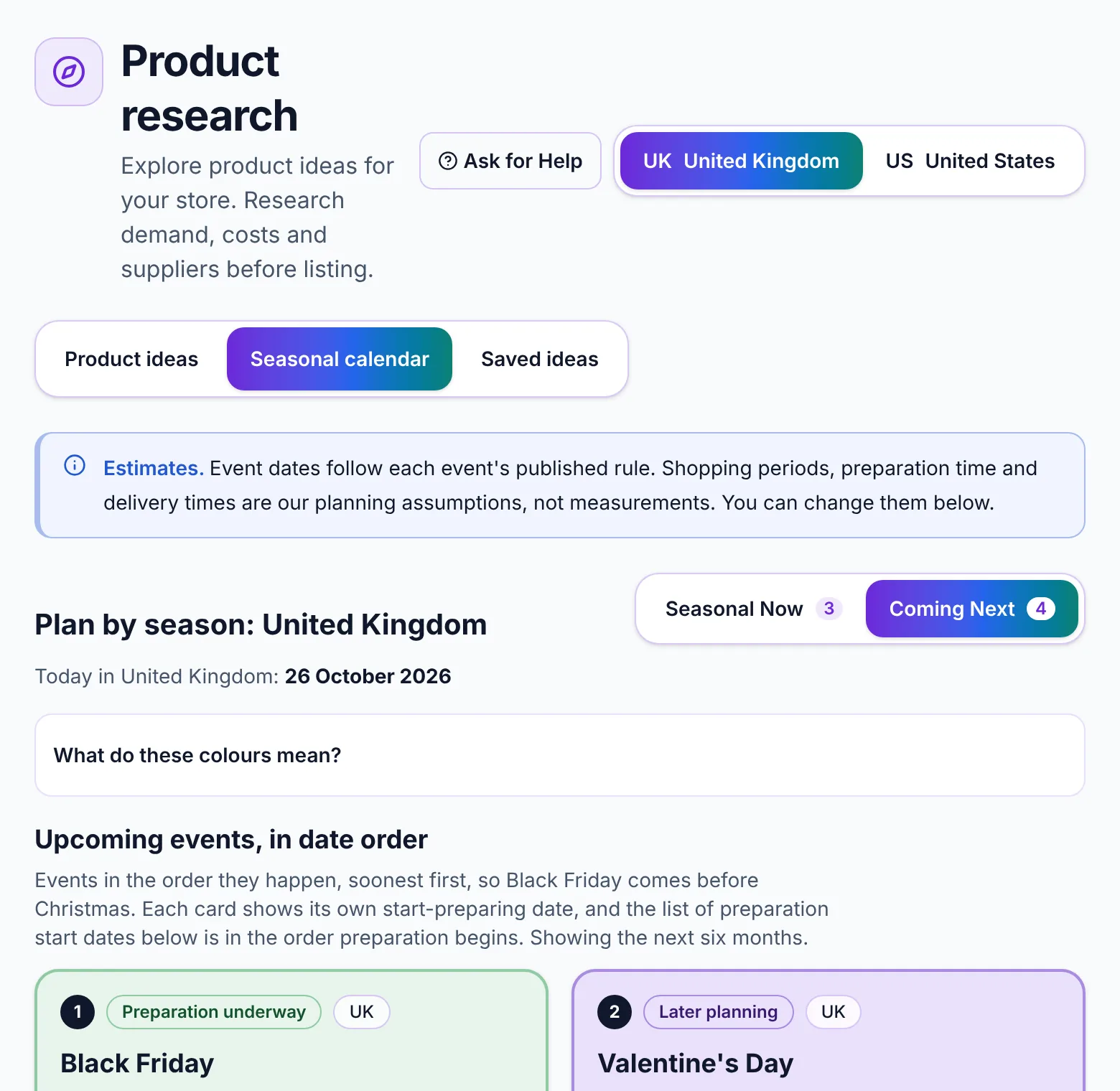
GetSellerOS screen with sample data
Supplier directory
Every supplier card shows its logo and opens its shop. Details say what has been tested and what is missing, so you know before you spend time on a product.
Saved Ideas
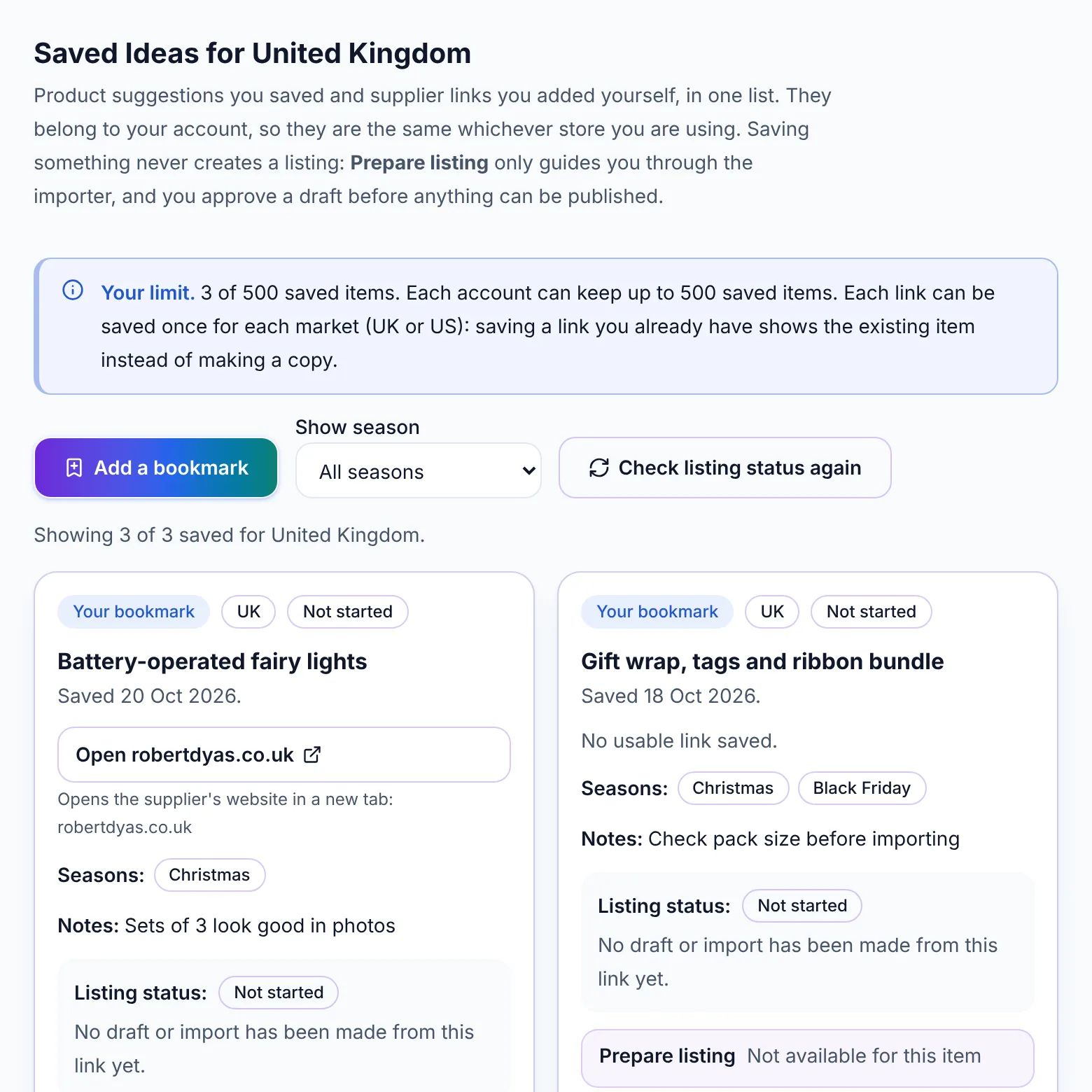
Save a suggestion or add your own supplier link, with a note and its season. Saving never creates a listing: you approve every draft before anything can be published.
Profit calculator
Estimated profit after eBay fees (rates you confirm), postage and what the item costs you. A price that sells at a loss cannot be published.
This estimate is in profit, so the listing can go forward for your review.
Break-even with these figures is £6.02. Sample figures and a sample fee rate (12.8% plus 30p), not a quote. In GetSellerOS the rates come from your own confirmed settings.
Product import
Open a supported supplier's product page and click the GetSellerOS extension. It reads the page when you click, you review what it read, then you save the product.
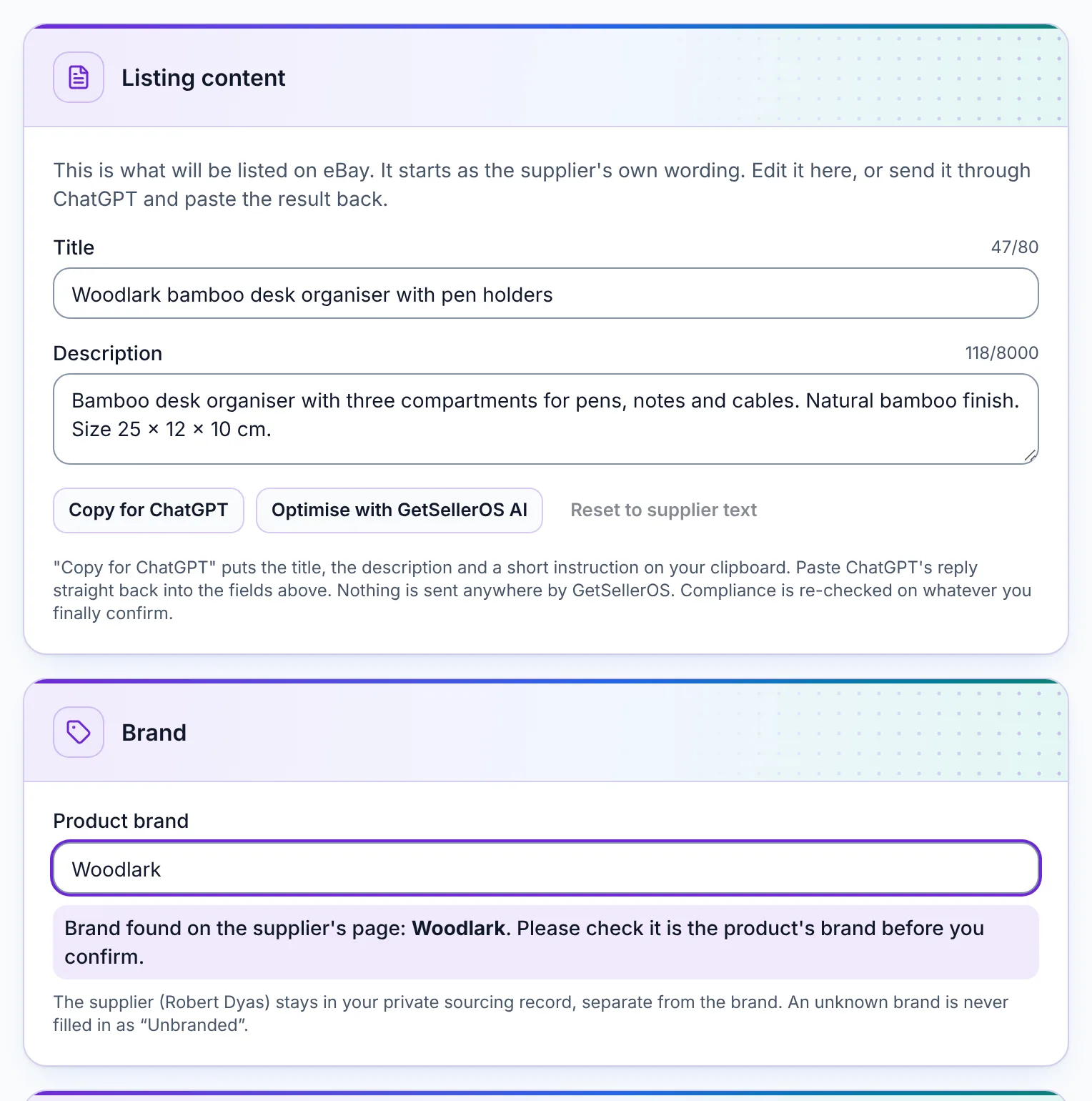
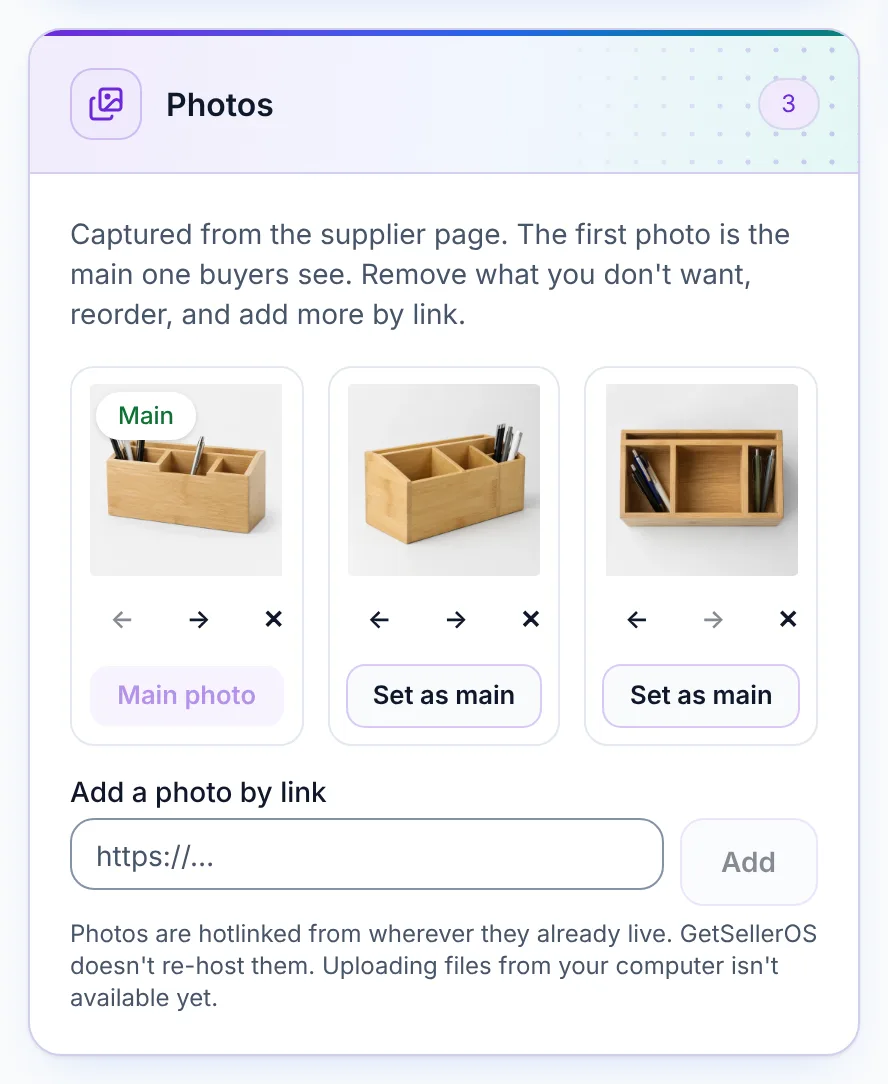
GetSellerOS screen with sample data and AI-generated sample photos
Listing optimiser
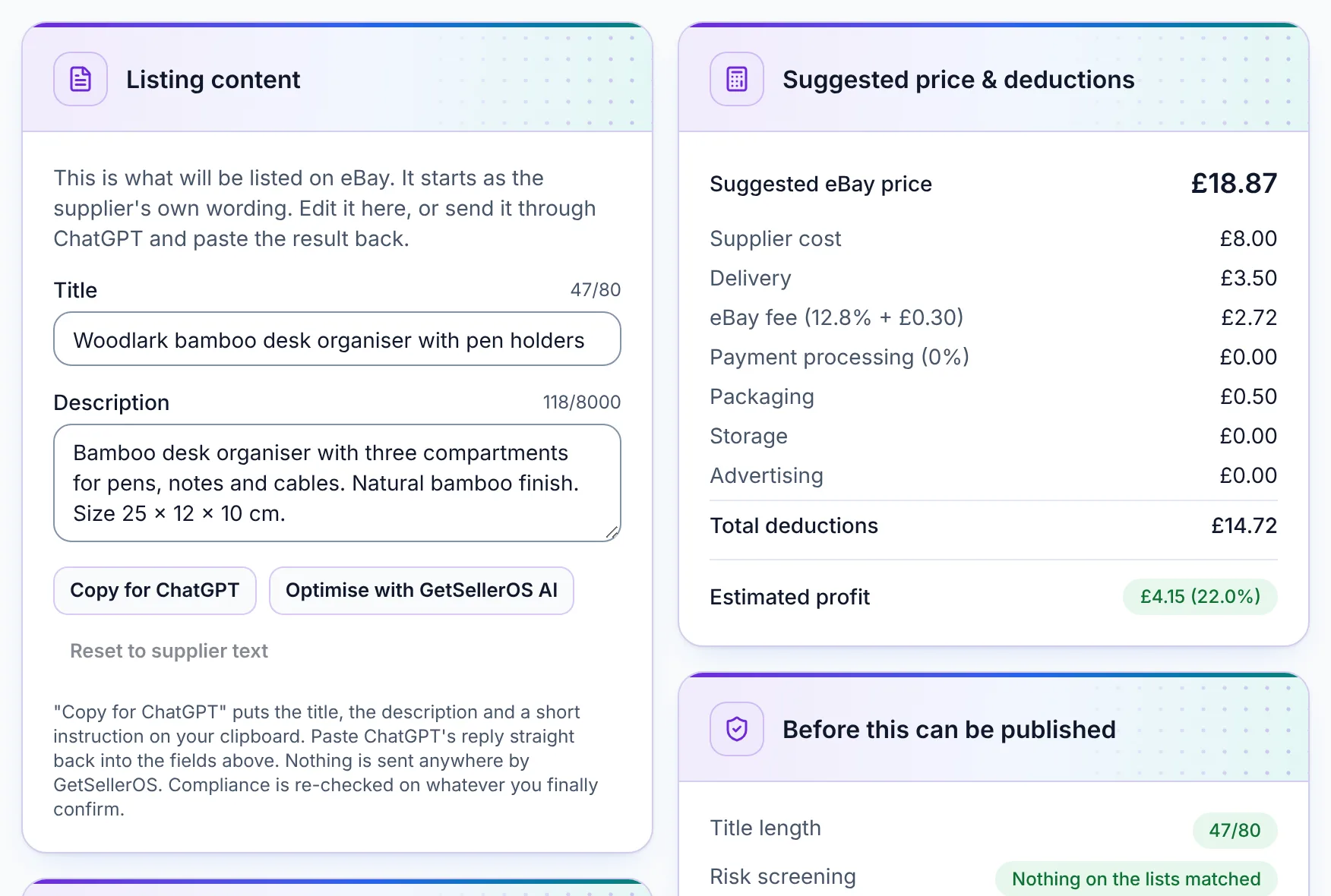
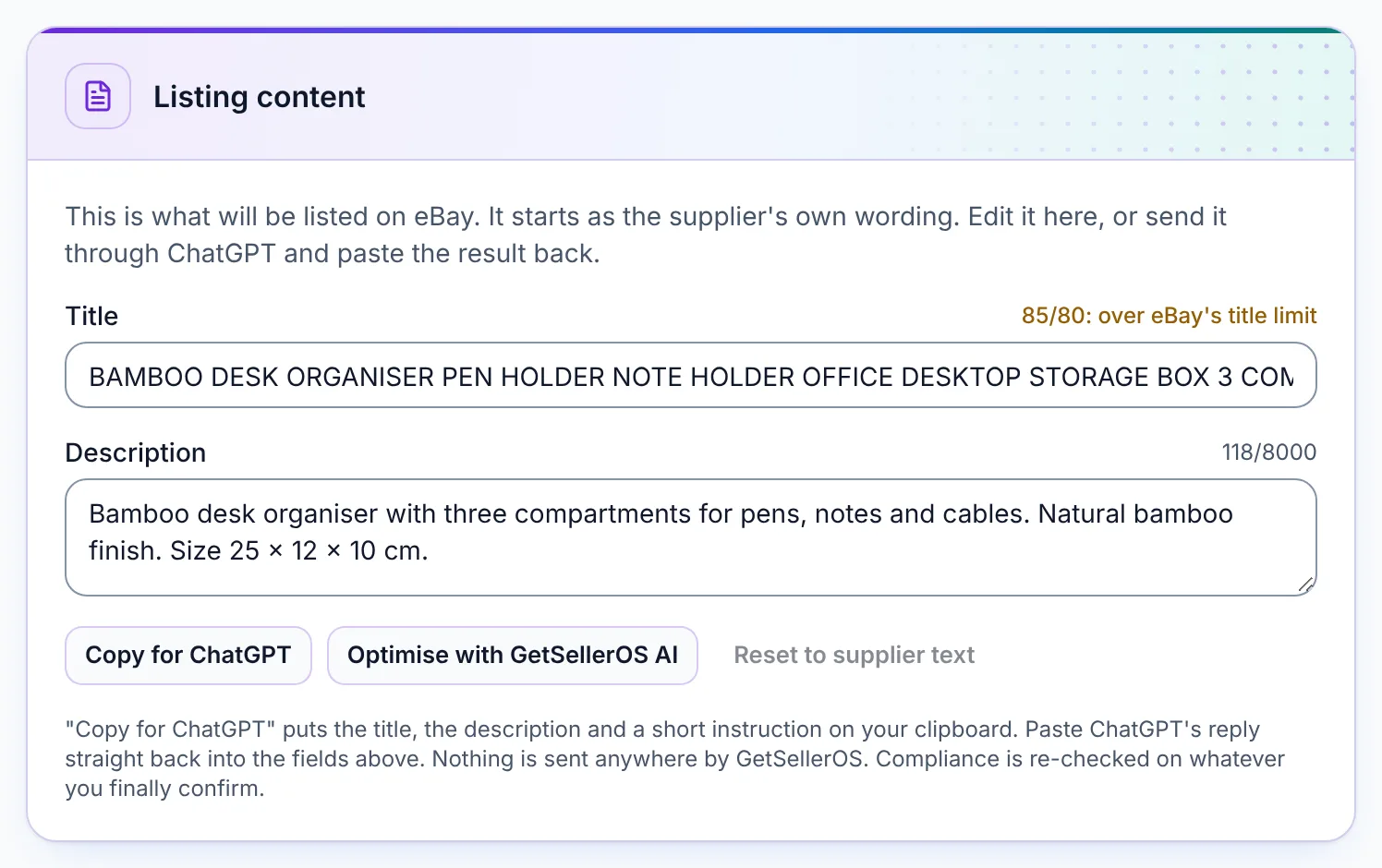
Optimise rewrites the supplier's wording for eBay and keeps every genuine detail. It does not invent specifications or brands, and you edit the result before anything is published.
The supplier's text, 85 characters against eBay's limit of 80
After optimising: within the limit, ready for you to review
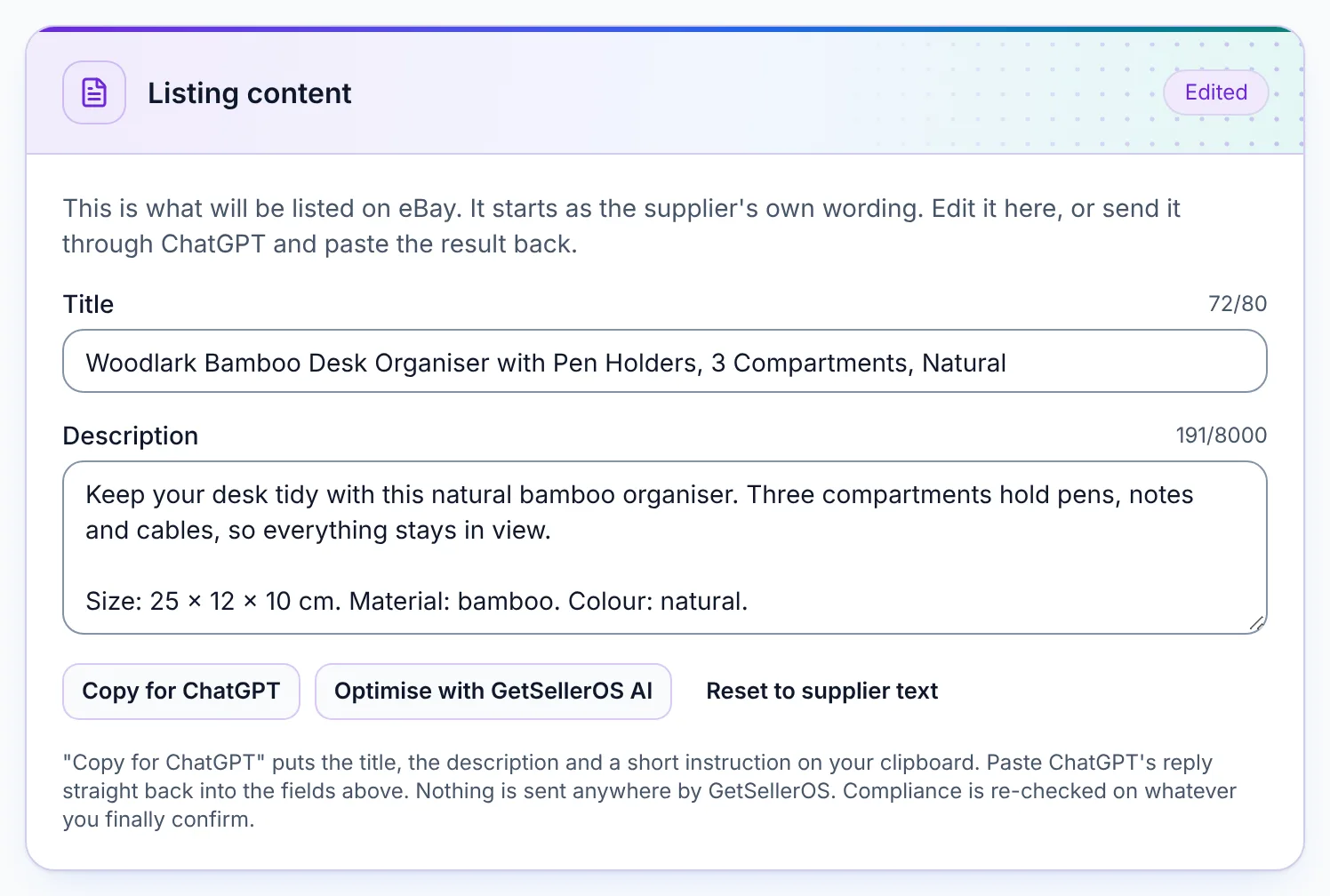
GetSellerOS screen with sample data. The optimised wording illustrates the kind of result, not a promise about any product.
Orders and tracking
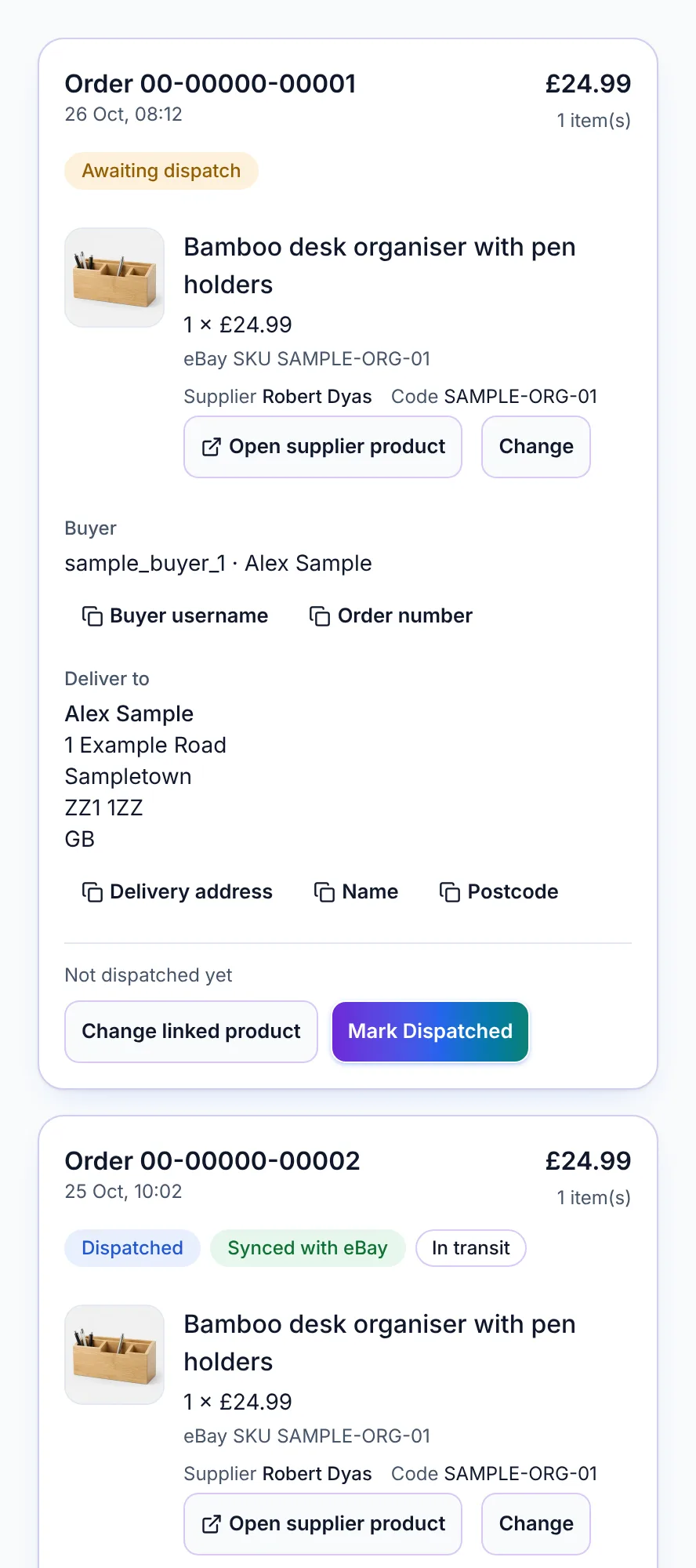
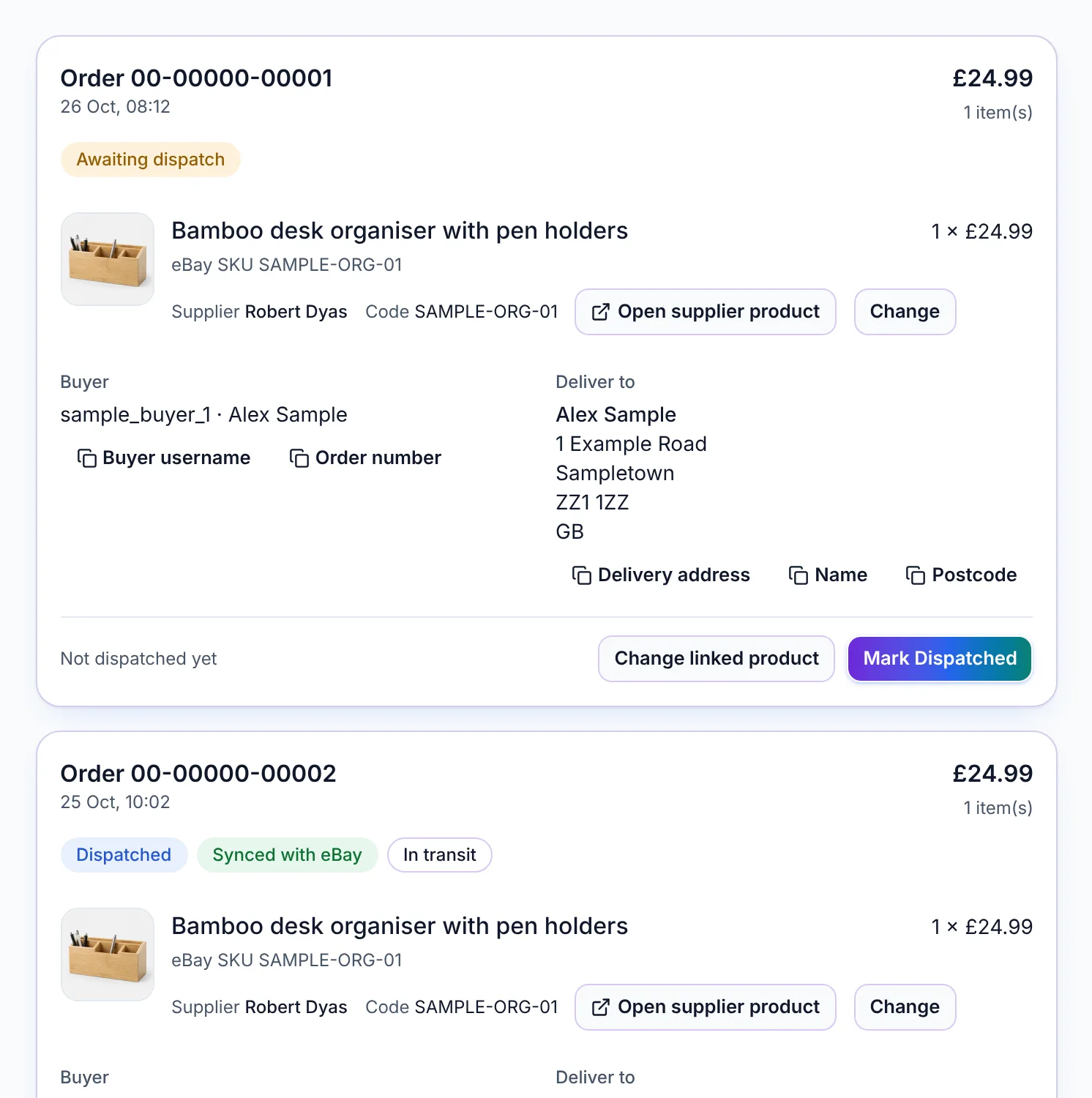
Each eBay order shows the supplier link, product photo and delivery details beside it. Add your supplier's tracking number and GetSellerOS sends it to eBay for that order.
Amazon tracking conversion
Use the Aquiline conversion workflow for eligible orders, review the confirmed tracking result and submit to eBay where enabled. Keep conversion and eBay submission status alongside your order.
Requires an enabled store and configured integration. Conversion uses paid credits. Conversion access, credit purchases and eBay submission have separate availability requirements. Check your account before relying on this feature.
Move between your store overview, imported products and listings. Review product details before publishing to your connected eBay store.
Search your live listings, filter by supplier and review the last recorded supplier stock status. Manual check reminders help you revisit products. A past check is not a guarantee of current stock.
Connect eBay, confirm your seller fees, delivery and return policies, and set listing defaults. Keep your profit estimates based on your own costs.
Follow the welcome, product import, profit calculator and Settings tutorials inside your account. Install the Chrome extension from its public Web Store listing.
Review account and product notifications inside your workspace. Customer-facing buyer messages are set up separately in your account.
Find your plan and billing, referral information and conversion-credit balance in the account area. Tracking conversion has separate availability and credit requirements.
Review the details and estimated profit before continuing. Importing does not publish a product to eBay.
Add to ChromeWhat is included
Every plan has the same workspace. Plans differ in how many listings and stores you can have.
Check your account for access to these features. GetSellerOS does not promise sales, rankings or profit.
Where GetSellerOS works
GetSellerOS is built around UK eBay sellers, with UK suppliers in the supplier directory.
A planned next market, with no date set. Product Research already includes a US calendar and ideas to research. That is research only, not US support.
Tell us which market matters to you: hello@getselleros.com.
Blog
eBay education
A practical guide for UK eBay sellers. How to read an attempted delivery in the tracking, a sample reply to the buyer you can adapt, what to do next, and what a lost parcel costs.
GetSellerOS team · 6 min read
GetSellerOS tutorials
What happens between finding a product on a supplier's website and publishing it on eBay in GetSellerOS, with a worked example and a checklist of what to look at before you approve.
GetSellerOS team · 4 min read
eBay education
A complete worked example for UK eBay sellers. One £30 sale, every cost taken off, profit, margin versus markup, break-even price, and what a return does. Every assumption is labelled.
GetSellerOS team · 6 min read
Every plan includes the same GetSellerOS workspace. Plans differ only in how many listings and stores you can have and how many conversion credits are included.
£19 a month
Includes
7-day free trial, up to 7 products published to eBay. Card required; your plan begins when the trial ends unless you cancel first.
£29 a month
Includes
7-day free trial, up to 7 products published to eBay. Card required; your plan begins when the trial ends unless you cancel first.
£41 a month
Includes
7-day free trial, up to 7 products published to eBay. Card required; your plan begins when the trial ends unless you cancel first.
£61 a month
Includes
7-day free trial, up to 7 products published to eBay. Card required; your plan begins when the trial ends unless you cancel first.
£91 a month
Includes
7-day free trial, up to 7 products published to eBay. Card required; your plan begins when the trial ends unless you cancel first.
Conversion credits are used by Amazon tracking conversion, which is live. Whether you can use it depends on your store.
Conversions are not free, and the free trial includes no credits. Check your account for your credit balance and any purchase options.
Every plan starts with the 7-day free trial described above. Prices are monthly, in pounds, and your plan begins when the trial ends unless you cancel first.
GetSellerOS brings the work of an eBay shop into one workspace: finding seasonal product ideas and suppliers, estimating your costs and profit, importing supplier products and preparing listings, publishing to your connected eBay store and keeping track of orders. You review and approve each step; it does not sell on its own. It is built for UK eBay sellers.
GetSellerOS is built for UK eBay sellers. The United States is a planned expansion, with no date set. Product Research includes a US calendar and ideas to research, which is research only and not US support.
For now, yes, and it is built around UK eBay sellers. We plan to expand to other countries. Vinted, Shopify and other marketplaces are not planned yet.
Yes. Create an account, choose a plan and start the 7-day free trial. Buyer messages and tracking conversion are both live. Whether you can use tracking conversion depends on your store, and it uses paid conversion credits. Each section above says what is included.
When you create an account, choose a plan and complete checkout. Every plan starts with a 7-day free trial that includes up to 7 different products published to eBay in total. A payment card is required, and your plan begins when the trial ends unless you cancel before then.
The trial covers 7 different products in total. A product counts once, when it has been published to eBay successfully through GetSellerOS, across all of your connected stores. A failed or declined attempt does not count. Deleting a listing does not give a place back.
Once 7 different products have been published, publishing more waits until your trial ends and your plan begins; GetSellerOS tells you this before anything is sent to eBay. After 7 days the trial ends and your plan begins, with your first payment taken from your card unless you have cancelled before then.
No. The free trial includes no conversion credits, and conversions are never free: credits are paid for. Tracking conversion is live, and whether you can use it depends on your store. Check availability in your account.
Every plan includes the same GetSellerOS workspace. Plans differ in how many listings and stores you can have and how many conversion credits are included. See the pricing section for the exact figures.
Conversion credits pay for eligible Amazon tracking conversions. Conversion and credit purchasing have separate availability requirements. Check your account for access, balance and any purchase options before relying on this feature.
It checks your listing against a built-in list of eBay prohibited wording and VeRO brands before you publish. It is a check, not a clearance: you remain responsible for what you list.
The supplier directory inside GetSellerOS shows each supplier's country, categories and what works today, for example importing from a product page with the Chrome extension. Where something is not available for a supplier, the directory says why. Supplier websites change, so check what the extension read before you save a product.
Open the GetSellerOS Product Importer listing in the Chrome Web Store on your computer. Select Add to Chrome, then Add extension. Pin the extension, choose Connect to GetSellerOS, sign in and select Connect this extension. Open a supported supplier product page to import. You review the product before publishing to eBay.
Not automatically. It reminds you to re-check supplier stock, and the extension can check stock when you are on the supplier's page. GetSellerOS does not watch your suppliers in the background.
We cannot promise sales, search rankings or profit. GetSellerOS is designed to save you time on preparing listings, working out your numbers and managing orders. How your listings perform on eBay depends on your products, prices and the market.
Your email address is used to run your account, for example an invitation or a password reset. See our Privacy Policy for what we collect and why.

Find the product, check the profit and prepare the listing in one workspace.